“Working Alone” is an identified hazard, presenting a variety of risks to lone workers and their employers.
The hazards of some jobs can be obvious, such as the risk of a machinery accident or when working with dangerous chemicals. However, the isolation of working alone is an enormous risk regardless of the work environment. A timely emergency response in the event of an incident is key to protecting employees and employers from costly injuries and lost productivity.
Workplace health and safety laws establish that ideally, any hazards should be identified and eliminated. As working alone is a necessity in many jobs and has become increasingly common with many employees now working remotely from home, it is important to understand that working alone is a hazard that often cannot be eliminated.
A truck driver alone on their route and navigating winter roads, an office administrator working from home, and a municipal worker cleaning a public park washroom are all performing their duties under inherently hazardous conditions. The truck driver may need immediate assistance if there is a road accident, the office administrator may experience a health emergency during their working hours, and the municipal worker often encounters unpredictable people who may be disgruntled by the inconvenience of a washroom closed for cleaning.
Controlling workplace hazards to minimize their risk is required when hazard elimination is not an option.
CheckMate Working Alone provides a set of engineered and administrative controls to help employers reduce the hazards of working alone for their employees. Automated safety checks backed by CheckMate’s 24/7 live emergency response are a simple and affordable way to protect lone workers in any industry. With flexible scheduling, audit reports, and our intuitive Safe Alone App, our complete lone worker safety solution is an easy and smart addition to your pre-existing workplace health and safety policies.
Taking proactive steps to protect your employees from the hazards of working alone will save you time and money, while demonstrating to your workers that your organization takes safety seriously.
Contact us to learn more about our Safe Alone App and Working Alone safety check system.
Across North America, governments and businesses are hiring additional workers for the upcoming summer. The duties and responsibilities of many seasonal jobs may require employees to work alone at times. Seasonal workers who spend the majority of their time working independently are frequently outdoors during the course of their workday facing a variety of risks.
What types of temporary summer work depend on lone workers?
- Meter Readers
- Utility/Water patrols
- Park attendants
- Environmental Programs/Litter Clean Up crews
- Lifeguards/Recreational Workers
For some of these roles, the risk of the job itself may be obvious. For all employees however, regardless of where their duties take them, working alone is a hazard. Employers are required by Federal and Provincial lone worker regulations to protect their workers while on the job. Lone worker safety requirements should also be considered when reviewing seasonal employment laws.
Best Practices When Hiring Seasonal Workers
With many people eager to return to work and make the most of summer job opportunities, it can be tempting to rush through the hiring and onboarding process of temporary seasonal employees.
Even if you are only bringing on extra help for a few weeks or months, it is important to consider the following seasonal worker hiring best practices:
- Create a formal contract for employment: This prevents confusion about the responsibilities of the position, scheduling expectations, how an employee will be paid, and should include a standard termination clause.
- Provide adequate training: The urgent need for additional help leads many employers to put seasonal workers straight to work. For the sake of a job well done, and to ensure you are meeting hiring requirements, it is important to remember that seasonal employees should be provided with the same level of training provided to full-time employees.
- Safety check enrollment for seasonal lone workers : As an employer, you are responsible for providing any employees who may be working alone with the training and tools to help keep them safe. Establishing a culture of safety and implementing the use of a safety check monitoring system like CheckMate Working Alone helps to protect your seasonal employees.
With the safety of seasonal employees in mind, businesses and governments currently looking to hire temporary staff should also be assessing whether these roles will require summer workers to perform their duties alone or in isolation. When completing the hiring of a seasonal worker, safety monitoring enrollment is as easy as registering the worker for Working Alone, allowing them to access our popular Safe Alone app. When the season has ended, simply let us know, and we can discontinue the temporary employee’s Working Alone enrollment.
For more information about CheckMate Working Alone and to register your seasonal lone workers, contact us today.
We understand how hard it can be to remember even the most basic to-do items in daily life, especially these days. Habit-building can take many months, and when it comes to new steps to take in an already busy workday, forgetting something can eventually happen to anyone.
From a lone worker safety perspective, any safety monitoring system put in place will only perform well if usage is consistent. For most administrators it simply isn’t feasible to continuously check whether or not their employees working alone are using their Safe Alone app.
To help administrators ensure that their workers are protected, we have developed a simple reminder tool to help your lone workers remember to activate their safety checks when they are scheduled to be working alone.
A text is sent to an employee if they have not activated their Safe Alone app for a set time period. A direct link to the app is included, saving the employee time if they did forget to activate their safety checks. The reminder text can be scheduled to suit the employee’s schedule, and administrators can set-and-forget this feature, allowing them to focus on other tasks.
This new reminder feature is live and ready to be added to your lone worker safety plan and can be accessed in your administrative Dashboard. To request setup assistance for end-user reminders, contact your CheckMate representative directly or click here to send an email, we’re happy to help.
Pharmacists and caregivers provide expertise and medication scheduling information to their patients on a regular basis, but all too often this does not mean that a patient remembers to take their medication at the prescribed times.
Manually monitoring the medication schedules of multiple patients is expensive and time-consuming, and even the most well-trained home healthcare providers find it difficult to ensure the pharmacist’s directions are being followed.
Are you concerned your clients may forget to take their medications?
Do you have family members that purchase medications for their loved ones and want to be reassured?
Are you looking to provide additional health and safety services for your clients, that separate your pharmacy from others and provide you with a new revenue stream?
If you manage a pharmacy or home healthcare service, or are a pharmacist or caregiver, you may have already asked yourself some of these questions. Setting an alarm or using an app as a reminder may seem like a plausible solution, but what happens if the reminder is missed?
CheckMate Med Check will call your customers to remind them to take their scheduled medications. With our automated reminder service, pharmacies and healthcare providers can offer a new level of customer care. CheckMate Med Check is a proactive communication service designed to remind people to take their medications, providing an automated follow-up to notify caregivers or family in the event that a Med Check reminder is missed.
- Enroll customers through a simple Point of Sale setup, no software or hardware to install.
- When the customer receives their automated reminder call, simple entry of the number 1 will confirm that they have received the reminder notice. If the call goes unanswered, a follow-up call will happen 3 minutes later.
- If there is still no answer, an alarm is generated in our Emergency Monitoring Centre where follow-up and notifications to Alert Contacts will occur, notifying them that their parent or patient did not respond to the reminder Med Check phone call.
- The Alert Contact list may include family, caregivers, home-care representatives or private nurses.
- Caregivers can then provide an immediate appropriate response, ensuring your client’s important medication is taken as you prescribed.
With our set-it-and-forget it reminder service you can provide an additional level of care to your customers and clients, complete with branding to match your company identity. You can learn more about how our Alert Contacts system works, and contact us to find out if CheckMate Med Check is a good fit for your pharmacy or caregiving service.
Like many countries, Canada has a large proportion of the population that is over age 65, and the number of older Canadians who will be choosing assisted-living facilities and retirement communities is expected to increase substantially.
High demand for senior’s housing will challenge property and facility managers to provide effective preventative safety measures as part of their residential amenities package. In-home care services are also expected to expand as many aging Canadians opt for the independence of remaining in their homes but may still require periodic assistance from caregivers.
There are many risks to seniors living alone and timely assistance is critical for positive outcomes. Minor falls can become major medical emergencies if undetected. Pre-existing medical conditions may cause unexpected acute illness. Manually performing well-being checks can be a costly and time-consuming method of ensuring the wellness and safety of residents or homecare patients. It is important to provide seniors with a sense of independence while giving family members and caregivers the confidence that help will be provided quickly when needed.
Can all of these varying needs be balanced affordably and efficiently?
CheckMate Safe Check is a simple, automated safety service that provides consistent and reliable safety checks for seniors living alone. Our affordable monitoring service ensures that timely assistance can be provided if an incident occurs. Backed by our 24/7 Emergency Monitoring Centre, our service requires no additional hardware or software and works with any landline or cell phone service.
CheckMate Safe Check will call your residents to check on their safety twice a day, morning and evening.
- When receiving an automated Safety Check call, pressing 1 on the phone keypad will confirm that the resident has received the call and is safe.
- If the call goes unanswered, a follow-up call will happen 3 minutes later.
- If there is still no answer to a Safe Check call, an alarm is generated in our Emergency Monitoring Centre where follow-up and notifications to Alert Contacts will occur.
- The Alert Contact list may include family members, residence managers or caregivers.
- These contacts can then provide the immediate appropriate actions to confirm the safety and well-being of the resident.
It’s that simple! With branding to match your company identity, our Safe Check system fits seamlessly into your services. You can learn more about how our Alert Contacts system works, and contact us to find out if CheckMate Safe Check is a good fit for your assisted-living facility, senior residence property, or in-home care services.
The Importance of Alert Contacts (and how to ensure they are up-to-date!)
CheckMate’s lone worker monitoring and safety check system is backed by our 24/7 monitoring service, delivering a professionally trained live operator response to missed check-ins and emergencies.
What happens when our monitoring center identifies a worker who may potentially be experiencing an emergency?
If a lone worker misses a safety check or taps the ‘Emergency’ button in their Safe Alone app, an alarm is generated in the ProTELEC Emergency Response Centre. An operator will respond by calling the lone worker. If the operator’s call goes unanswered, the operator will begin calling the Alert Contact List so that appropriate steps can be taken to locate and assist the worker.
Alert contacts are often an employee’s department manager or the safety director at their organization. An alert contact should:
- Be aware of the CheckMate service and know what to do if they receive a call.
- Be able and willing to take the appropriate steps based on an employer’s instructions.
When an alert contact receives a call from ProTELEC operators, it is important that all pertinent information is identified to assist in locating the lone worker. An alert contact can gather these details by recording facts communicated by the operator, and should include some key pieces of information:
- An alert contact should confirm any known details of the lone worker’s location. Our Safe Alone app provides a GPS record of last known location 10 minutes ahead of a scheduled Safety Check. If the check-in is missed, this information allows our operators and the worker’s alert contacts to quickly narrow the search.
- An alert contact should confirm the lone worker’s phone number with ProTELEC operators, to aid in making contact.
- An alert contact should confirm the type of alarm detected by the ProTELEC operators. For example, it is important to know whether it is a missed safety check or a user-generated emergency alarm, as this may help to determine the most appropriate next steps.
Additional information may also be gathered by listening to the user’s most recent voice recording or reading their most recent text if they provided one during their last completed safety check.
With these details, an alert contact can proceed to:
- Call the lone worker, making at least two attempts
- Text the user, if possible
- Escalate the alarm according to the employer’s instructions. This may include contacting other personnel who may be nearby and able to assist or may require contacting emergency services. Appropriate escalation will also be determined by the lone worker’s role, and the risks and hazards they may encounter when on the job.
While the responsibilities of an alert contact can be summed up in these very simple steps, it is important to remember that in some situations these steps can be the difference between life and death.
Keeping alert contact information current is a critical component of this process.
To update alert contacts for CheckMate Working Alone users contact your CheckMate representative directly or click here to send an email requesting an alert contacts update. Please include the Lone Worker’s name, and the new alert contact information.
To learn more about CheckMate Working Alone or any of our other safety solutions, you can contact us through our easy webform here.
Safe Alone App Updates
We are pleased to announce improved features and location tracking updates in our recently released CheckMate Safe Alone v2.3 app. With this update we have included several new tools to make safety check-ins even easier for employees working alone, and the app now supports iOS ‘dark mode’.

Location updates and settings have been optimized
To improve the user experience and provide Working Alone program administrators with the most up-to-date location information, additional location features and settings have been added. In the case of an emergency, locating a lone worker quickly and accurately is important, and these tools will help to improve monitoring and response capabilities.
- The Safe Alone app now automatically sends a user’s location within 10 minutes of a safety check. This feature enables administrators to determine a more recent last-known-location for employees even if they miss a safety check-in.
- The Location Update setting has been modified to maximize safety and minimize battery use.
- The Safe Walk mode has been improved with a confirmation feature, to reduce false alarms.
- Administrators and end-users are notified by email if default location check-in features are turned off.
Simplifying the safety check process is the primary goal of our Safe Alone app
We know that a busy employee needs to stay focused on their work, and safety check-ins are most effective for end-users and administrators if they are an easy and quick task to complete.

- Users with the latest version of the app who are configured for SMS safety checks will now see a link in their SMS safety check prompts.
This link opens the app and makes checking-in easier by eliminating the need to locate the app on their phone manually. - To help reduce false alarms, we now offer the option to have an automated alarm report email send to account administrators.
- We have improved some of the buttons and icons within the app, to make the tools and options more recognizable. As always, a user can Activate or Deactivate their check-ins with just a tap, and check-in frequencies can be adjusted by tapping on the contact frequency or ‘pencil’ icon. Users who do not have permission to change their check-in frequency will see a ‘pulse’ icon and should contact their administrators for schedule adjustments.
- A link to the Safe Alone User Guide has been added to the Safe Alone app Help menu (https://www.protelec.ca/CMP/Help/UserGuide) providing quick access to additional information about the Safe Alone app settings and features.
These improvements along with additional design and back-end updates are available in the newest version of the Safe Alone app.
If you would like to schedule a Safe Alone app training session or have any questions, please contact your CheckMate account representative or use our contact form and we will be happy to assist.
What can you do to create a culture of safety throughout your organization?
If you are reading this post, chances are you’ve already determined that keeping your employees safe while on the job is a top priority. You may even already have robust safety policies in place, addressing everything from workplace hazards to safety check-ins for those who are working from home.
But are the people you’ve been tasked with protecting doing their part too? At CheckMate we often hear questions about how best to train employees in company safety rules and how to increase compliance. Many safety officers and human resource consultants assume that by simply having a safety policy in place and investing in a monitoring service, a culture of safety has been established. Unfortunately, this is rarely the case, and without a company-wide mindset of safety policy observance, organizations become vulnerable to financial penalties, employee injury, and diminished morale.

There are some simple steps you can take to create a positive culture of safety within your organization. To help you get the most out of your lone worker monitoring solution, we recommend reviewing how each of these actions might apply to your particular organizational needs:
1. Clearly and regularly engage with employees on the subject of safety
Having a well-defined workplace health and safety policy will only be effective if it is communicated in an accessible manner and regularly reviewed. Make information about your safety policies and expectations easily available in printed and digital formats. Hold regular safety meetings and training opportunities. Involve your employees in the process of improving safety policies and regularly provide opportunities for feedback.
2. Lead by example
Management knows the importance of establishing a positive company culture but can sometimes forget that this culture is dependent on their participation as well. Employees are more likely to pay attention to work health and safety policies, and comply with safety check-in requirements if they see that their superiors are doing the same.
3. Implement a positive reporting process
One of the biggest barriers to safety policy compliance can be a reluctance to report safety violations. Safety check-in procedures are often forgotten, and the failure to use a lone worker monitoring solution is often emphasized, rather than rewarding the proactive observance of safety procedures. Rewarding employees who use their Safe Alone App or report workplace hazards will reinforce their actions and help to build a positive culture of safety throughout your organization.
4. Keep an eye on safety policy participation
Ensuring that your employees are completing safety checks using the Safe Alone App or other Working Alone check-in methods is easy with the Administrative Dashboard. Reporting tools allow you to confirm compliance and catch minor issues before they become major problems, and CheckMate Working Alone provides this information to administrators 24/7 through an easy-to-use web-portal.
5. Share your culture of safety with others
Perhaps your department has already identified a solid set of workplace safety policies and has great employee engagement; in larger companies there’s a good chance that you work internally with departments that have not yet taken these steps. Your business or organization may depend on services and products from others who are at-risk without lone worker safety checks and an overall culture of safety. Share your experiences and these tips with them to help encourage better safety practices throughout your industry.
We hope these tips will help you to approach your lone worker safety policies with a larger culture of workplace safety in mind. Whether your staff is working from home, on the road, or even in remote locations, providing a safe work environment is the job of the employer. The ability of employees to remain safe and effective in their roles should be your highest priority. Providing positive communication, frequent training, and leading by example will all help to make your safety policies more effective.
Don’t have an established set of safety rules in place? Looking for a simple solution to meet lone worker monitoring requirements? Whether your organization has 10 or 1,000 employees, CheckMate can help you save lives and protect your bottom line.
Contact us today to learn more about our Lone Worker Monitoring solutions and workplace safety tools.

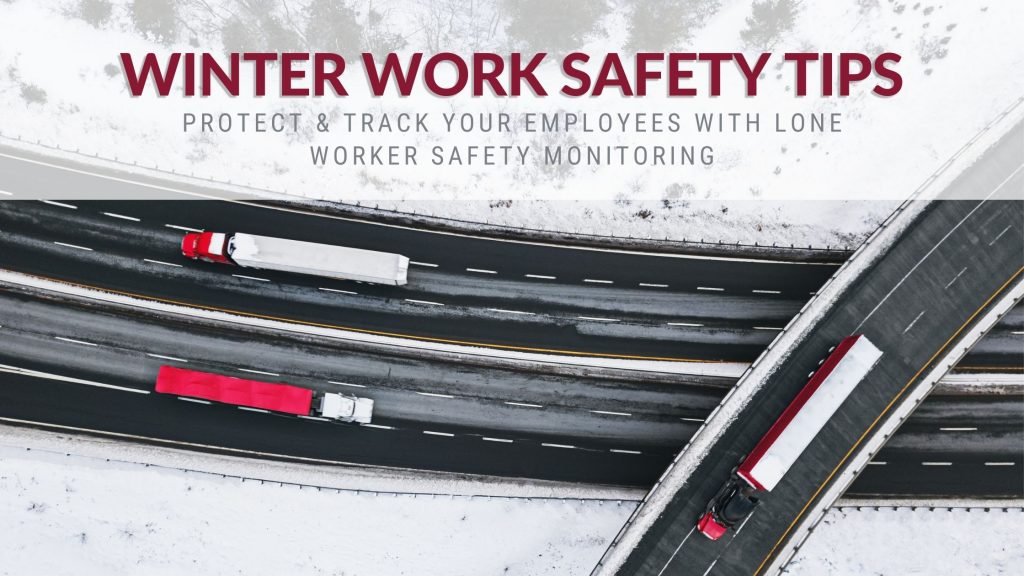
There are many outdoor jobs that carry an increased risk of serious cold injury due to exposure during the winter months. Along with cold temperatures, wind conditions and humidity can contribute to the risk factors that lead to serious cold stress vulnerability. Having winter work safety policies and a worker monitoring system in place can greatly improve working conditions and outcomes in the event of an emergency.
What types of jobs carry increased risk in the winter?
Anyone whose role keeps them outside for prolonged periods of time, or who already works in a physically dangerous environment. Employees who must drive during the duties of their workday are also at greater risk, as winter road conditions present countless new hazards.
Industries with employees working outdoors in winter conditions:
- Construction
- Trucking
- Farming/Ranching
- Oil & gas extraction
- Public works
- Community service officers (Fire, Police, Bylaw)
- Building Maintenance
The dangerous consequences of hypothermia, frostbite, cold stress and injury are particularly concerning for lone workers. Becoming immobilized outdoors for any reason in the extreme cold can have a tragic outcome, and it may be a long time before an inattentive employer notices the lapse in contact with their remote work employees. So how can winter work safety be improved for those most at risk?

Preparation and Prevention
There are several stepsto be taken when reducing the risk to employees who must work outside during winter:
- Use a Lone Worker Safety Check solution to confirm location and well-being of employees
- Establish clear policies to address a work/rest schedule, limiting heavy work to reduce perspiration
- Clothing/uniforms should be protective, layered, dry and insulated, with windproof and waterproof shells
- Monitor and assess weather changes throughout the day
- Provide warm-up breaks in heated shelters (if the temperature is -7˚C or lower, shelters should be available nearby)
From personal protection in the form of appropriate clothing and frequent breaks to warm-up and hydrate, to checking on the safety of lone workers, the responsibility for winter work safety lies with both the individual employees and their employers. Using the CheckMate Safe Alone employee safety app makes safety check-ins easy, and the automated schedule of safety checks is complimented by our 24/7 live operators who respond in the event of an emergency.
For lone working employees who spend long periods of time driving out of town, the added value of GPS location tracking with CheckMate Working Alone can provide further protection, particularly as employees travel to and from remote jobsites in challenging winter conditions. Locations for lone workers can be viewed easily using the Working Alone web-based administrative tools, with maps and reports just a click away.
Contact us to learn more about how CheckMate Working Alone can dramatically improve the safety of your lone workers when their tasks take them outside in winter.
Does a Safety Service Provide You with a Return on Your Investment?
Safety products and services are often viewed as bottom-line costs and when you add the costs of what could or might happen, you can further justify the expenditure. Of course it’s an investment in your most important resource, your staff, but sometimes it is really nice to know that this cost is actually saving you money!
How does CheckMate save you money?
As Employers, we are responsible for the safety of our employees and if they are working alone, we are obligated to check on them regularly to ensure that they are safe. Companies often implement internal manual systems to protect their working alone employees because they think manual systems are easier to implement and are less expensive. A simple cost comparison quickly proves otherwise.
Consider the effort and costs involved in having an office employee monitor one lone worker:
- The lone worker calls in to the office every two hours.
- An office employee answers each call and records the time of the call, and where the lone worker is and will be until the next call.
- The office employee resets a timer after each call to ensure that if the lone worker does not call in, the office worker is reminded to call the lone worker.
- The time spent by both the office employee and lone worker to stop what they are doing, check-in and log the call, is approximately 5 minutes per call.
- The wage of the employees involved is $20.00 per hour.
All of this adds-up to the true cost of Lone Worker Monitoring:
4 calls per day x 5 minutes x 2 employees x 20 working days in a month = 800 minutes (13.33 hours)
13.33 hours x $20/hour = $266.67 per month spent on checking up on one employee working alone.
At $22.50* per month or less, CheckMate Working Alone is 92% less expensive
($22.50 is our single user rate, which drops substantially with larger numbers of users)
In addition to substantial savings in time and money, using CheckMate Working Alone to monitor the safety of your lone workers provides further benefits:
- 100% reliable thanks to automation: The safety of an employee working alone is not dependent upon a person remembering to make calls or an office employee knowing when a lone worker hasn’t called. What happens when the office worker calls in sick or is on holidays – who is monitoring the lone worker then? Automation improves reliability and removes the possibile negative consequences of human error and unforseen circumstances.
- Every Safety Check and result is logged: CheckMate Working Alone provides you with an audit trail that meets legislative and regulatory requirements, ensuring your company has done its due diligence were an incident to ever occur.
- Missed Safety Checks get an immediate response: When an employee working alone misses a Safety Check, an alarm is generated in our Emergency Monitoring Centre and our professionally trained operators respond immediately.
- Unlimited Safety Checks: With CheckMate a user can easily adjust their Safety Check frequency for increased risks and hazards while they work. For example, a person working a hazardous job may require Safety Checks every 30 minutes due to the risks that they face while working alone. An administrative employee working from home might require a lower frequency of Safety Checks throughout the day. Additional safety checks in a manual process will cost more time and money as illustrated in our earlier example, but with CheckMate your Safety Check scheduling is unlimited with no additional hidden costs.
- Easily manage Safety Checks for multiple people working alone: With each additional employeee to be monitored while working alone, the manual process in our example gets much more complicated, time consuming and expensive. CheckMate Working Alone simplifies the Safety Check process, giving you intuitive administrative tools to manage employee schedules and check on their automated check-ins using the Working Alone Dashboard. Generate reports, track GPS locations for each check-in, and add or remove users tasily. Want help managing your Working Alone schedules and settings? We can do that too – just contact us for support and administrative assistance customized to your business needs.
- Reduced workload on staff: By reducing wasted time and allowing individuals to focus on their key ‘revenue generating’ tasks and responsibilities with fewer distractions, CheckMate Working Alone can benefit the overall productivity of your staff.
Beyond these practical time and money saving considerations, there are other benefits to using CheckMate Working Alone:
- Organizations with best practices in safety can attract higher quality workers.
- Companies with quality Safety Management Systems (SMS) have more engaged staff and lower absentee rates.
- Organizations that meet Safety Certifications and Regulations can often bid on and be awarded more projects.
- Established safety systems and best practices reduce liability concerns including chances of potential fines and legal costs.
Ready to make your move? For more information on our CheckMate Working Alone solution and how we can save you money, call 1-855-861-5825 or use our simple Contact Form.