

Live Monitoring by Real People

Health & Safety Reporting
Streamlined

Lone Worker Safety Made Easy

ProTELEC CheckMate
CheckMate is a suite of lone worker safety products and services by ProTELEC designed to protect employees who work alone or remotely. Our work alone monitoring system is part of our broader remote worker safety solutions, giving both you and your employees peace of mind through reliable check-ins and emergency support.
All of our lone worker systems are monitored 24/7/365 by ProTELEC’s Emergency Monitoring Centre. All operators must undergo rigorous training and education to qualify to work in our facility, and we’ve been awarded with the Five Diamond Certification from the Monitoring Association of America.
At ProTELEC, we blend cutting edge technology with live human response to ensure the safety of your employees.

CheckMate for Lone Workers
CheckMate Working Alone
CheckMate Working Alone is an automated communication service that regularly checks on employees working alone to ensure their safety.
- Simple to use and cost-effective solution for employee safety.
- No hardware or software required – CheckMate is a service. Your employee only needs a phone (land line, cell, or satellite), making it an ideal lone worker protection solution for any industry.
- Meets federal and provincial lone worker compliance law requirements.
- Failure to respond to a safety check generates an alarm in ProTELEC’s 24/7/365 Emergency Monitoring Centre.
- Takes employees only seconds to respond to a safety check.
- Gives you and your worker the comfort of knowing they are not alone.
- CheckMate Working Alone is designed to answer the challenge of how to monitor lone workers—automating safety checks while reducing admin workload.
Tracking and Monitoring Tools for Administrators
- CheckMate contacts and confirms the safety of lone workers based on a schedule you provide and control.
- 24/7/365 monitoring by real people at all times.
- On-demand access for Administrators to the CheckMate Dashboard through our Client Web Portal.
- Track employee safety checks and real-time locations through our lone worker GPS tracking app, even in areas with limited connectivity.
- Generate an audit trail of all safety checks and their outcomes.
CheckMate for Lone Workers
CheckMate Working Alone
CheckMate Working Alone is an automated communication service that regularly checks on employees working alone to ensure their safety.
- Simple to use and cost-effective solution for employee safety.
- No hardware or software required – CheckMate is a service. Your lone worker only needs access to a phone (land line, cell, or satellite).
- Meets Federal and Provincial working alone regulations.
- As a comprehensive lone worker compliance software, CheckMate helps you meet safety obligations and simplify audits.
- Failure to respond to a safety check generates an alarm in ProTELEC’s 24/7/365 Emergency Monitoring Centre.
- Takes employees only seconds to respond to a safety check.
- Gives you and your worker the comfort of knowing they are not alone.
- Our solutions align with Canada’s strictest safety compliance regulations, ensuring your business stays protected and compliant.

CheckMate Safe Alone App
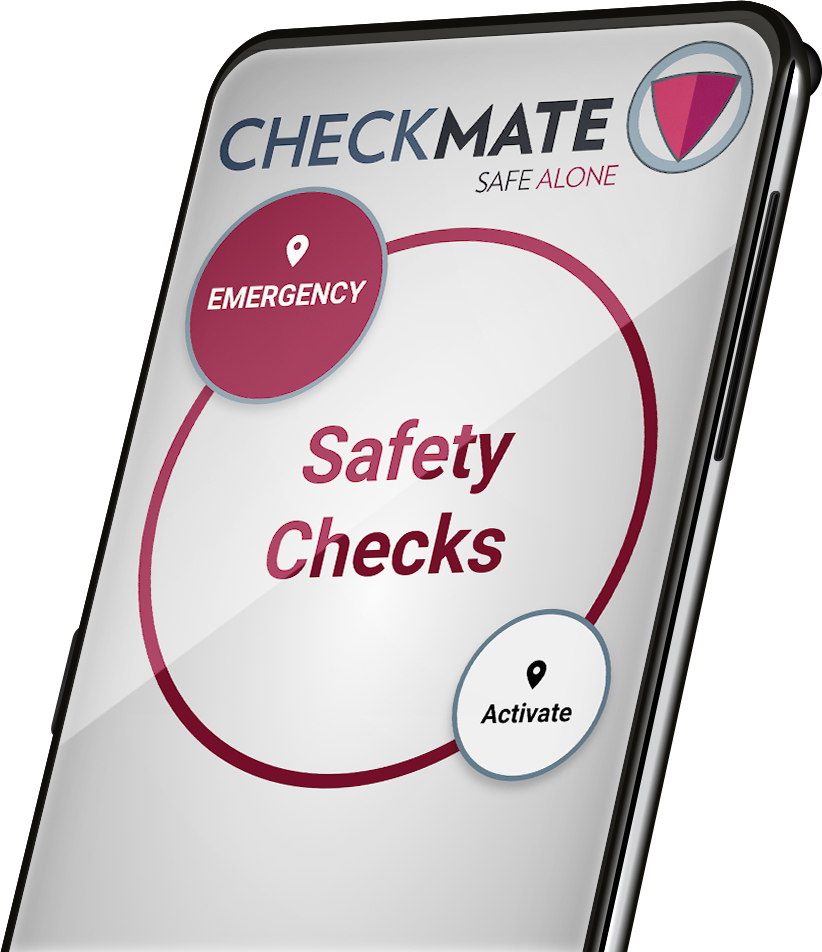
CheckMate Safe Alone is a lone worker monitoring app that offers the ultimate in safety and compliance for isolated workers. It’s easy to use, and operators are standing by 24/7/365 so you can ensure the safety of employees working alone.
Protection at your fingertips
- Takes seconds to check-in with the tap of a button.
- Lone workers can use the emergency panic button for workers built into the Safe Alone app to instantly notify our monitoring personnel in a crisis.
- GPS coordinates are sent with the alarm and updated when the phone’s location changes.
Checking in while working alone
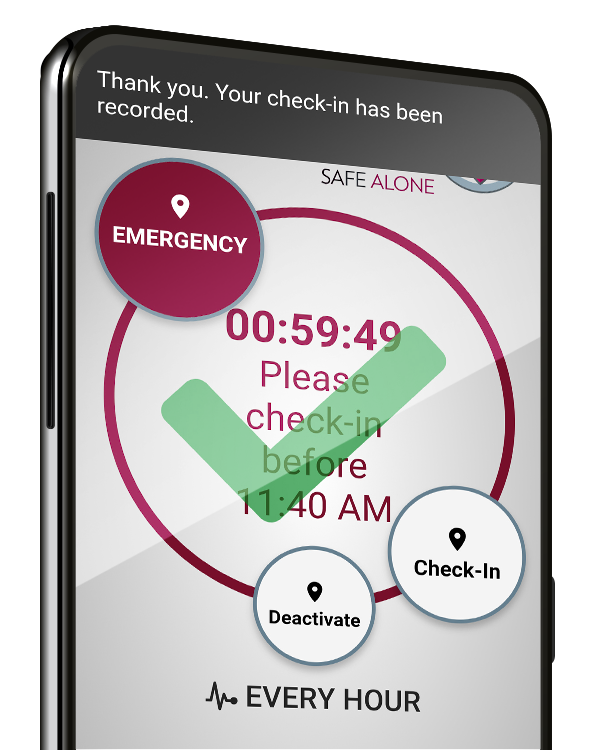
- With each check-in to confirm your safety, the clock resets and the GPS location coordinates are collected.
- The amount of time left until the next safety check is displayed on-screen and reminders occur via pop-up notifications.
- If you miss a safety check, an automated phone call occurs 3 minutes later (selectable).
- If you miss the automated call, a Missed Safety Check Alarm is generated and a live, trained operator responds.
CheckMate Safe Alone App
CheckMate Safe Alone is an app that that offers the ultimate in lone worker security. It’s easy to use, and operators are standing by 24/7/365 so you can ensure the safety of employees working alone.
Checking in while working alone
- With each check-in to confirm your safety, the clock resets and the GPS location coordinates are collected.
- The amount of time left until the next safety check is displayed on-screen and reminders occur via pop-up notifications.
- Whether your team is in the field or working late in the office, CheckMate forms the backbone of an effective emergency response plan for lone workers.
It’s your move.
Contact us for a free trial and see why CheckMate is one of the best lone worker apps in 2025 for real-time safety, compliance, and peace of mind.
CheckMate Blog



Businesses who use CheckMate
From property managers to municipalities, organizations across Canada trust our lone worker protection system to keep their teams safe and compliant.

St John Ambulance
St. John Ambulance utilizes Protelec Alarms in both of our Brandon and Winnipeg locations, including CheckMate, security cameras, alarm systems and monitoring. Their service has been professional, and they are excellent to work with. We feel reassured with the additional layers of security that Protelec provides.

Ginkgo Bioworks
I implemented Checkmate as one element of our company’s Lone Work program in 2020. I have found the registration and addition of new employees to the system by ProTELEC to be flawless and prompt, on average taking less than 24 hours. The system itself is robust and user friendly. From a management perspective, the visibility to its uptake and usage is a strong data driven feedback loop. For ease of set-up and management, coupled with its user-friendly application, I recommend Checkmate as an element for a Lone Work Program.
– Claire Moroney, EHS Director.

Legal Aid Manitoba
Legal Aid Manitoba operates 11 law offices and 3 administration offices with lawyers and staff attending just about every community in the province. Checkmate allows our staff to feel connected and safe while working outside of their usual office and allows supervisors to concentrate on other matters knowing their staff are accounted for. Checkmate provides us with an extra layer of security for our staff.

Township of the Archipelago
The CheckMate Working Alone app and service is wonderful. Township staff are pleased with the flexibility and the ease of use of Checkmate. The Checkmate service/app is reliable, budget friendly and convenient. Our service provider Randy Pokrant has been nothing but exceptional. Randy has been available, quick to respond and very informative. Thank you Randy and the Checkmate Team!

Pace Solutions
Great way to keep our staff safe
– Wes Martin, President & CEO of Pace Solutions Corp.

Camrose County
Camrose County has been using ProTELEC CheckMate to successfully and safely monitor our remote employees around the clock. The ease of use for the application couldn’t be simpler and the flexibility in changing check-in times as environmental conditions change has been a great benefit. Administratively, the dashboard provides the necessary information and adaptability. It’s been great knowing that all employees are making it home at the end of the day while minimizing the manpower that has to be allocated to this monitoring.

RM of Ritchot
The Checkmate program has been beneficial for us in keeping track of our summer staff. We find it easy to use through the mobile app. The admin portal is simple to follow and allows the administrator to easily track every employee. Randy Pokrant our sales rep is always available with any questions I may have and does all the setup of new employees that need to be added. A must have to easily keep track of staff working alone.
George Humeniuk

Merit Functional Foods
Merit Functional Foods is very happy to have partnered with Protelec CheckMate to help keep our Team Members who work alone or in isolation safe. The application is easy for workers to use and for myself as a Health and Safety Professional to monitor and ensure compliance.
View our Suite of Safety Solutions
Learn more about how our working alone safety solutions can help keep your lone workers safe and secure.