
Slide
ProTELEC CheckMate: A Lone Worker Safety App that Keeps Your Team Safe—Anywhere, Anytime.
Banner_Homepage_Phone

Live Monitoring by Real People

Health & Safety Reporting

Streamlined

Lone Worker Safety Made Easy

ProTELEC CheckMate

CheckMate is a suite of lone worker safety products and services by ProTELEC designed to protect employees who work alone or remotely. Our work alone monitoring system is part of our broader remote worker safety solutions, giving both you and your employees peace of mind through reliable check-ins and emergency support.

All of our lone worker systems are monitored 24/7/365 by ProTELEC’s Emergency Monitoring Centre. All operators must undergo rigorous training and education to qualify to work in our facility, and we’ve been awarded with the Five Diamond Certification from the Monitoring Association of America.

At ProTELEC, we blend cutting edge technology with live human response to ensure the safety of your employees.

CheckMate for Lone Workers

CheckMate Working Alone

CheckMate Working Alone is an automated communication service that regularly checks on employees working alone to ensure their safety.

  • Simple to use and cost-effective solution for employee safety.
  • No hardware or software required – CheckMate is a service. Your employee only needs a phone (land line, cell, or satellite), making it an ideal lone worker protection solution for any industry.
  • Meets federal and provincial lone worker compliance law requirements.
  • Failure to respond to a safety check generates an alarm in ProTELEC’s 24/7/365 Emergency Monitoring Centre.
  • Takes employees only seconds to respond to a safety check.
  • Gives you and your worker the comfort of knowing they are not alone.
  • CheckMate Working Alone is designed to answer the challenge of how to monitor lone workers—automating safety checks while reducing admin workload.

Tracking and Monitoring Tools for Administrators

  • CheckMate contacts and confirms the safety of lone workers based on a schedule you provide and control.
  • 24/7/365 monitoring by real people at all times.
  • On-demand access for Administrators to the CheckMate Dashboard through our Client Web Portal.
  • Track employee safety checks and real-time locations through our lone worker GPS tracking app, even in areas with limited connectivity.
  • Generate an audit trail of all safety checks and their outcomes.


CheckMate for Lone Workers

CheckMate Working Alone

CheckMate Working Alone is an automated communication service that regularly checks on employees working alone to ensure their safety.

  • Simple to use and cost-effective solution for employee safety.
  • No hardware or software required – CheckMate is a service. Your lone worker only needs access to a phone (land line, cell, or satellite).
  • Meets Federal and Provincial working alone regulations.
  • As a comprehensive lone worker compliance software, CheckMate helps you meet safety obligations and simplify audits.
  • Failure to respond to a safety check generates an alarm in ProTELEC’s 24/7/365 Emergency Monitoring Centre.
  • Takes employees only seconds to respond to a safety check.
  • Gives you and your worker the comfort of knowing they are not alone.
  • Our solutions align with Canada’s strictest safety compliance regulations, ensuring your business stays protected and compliant.

CheckMate Safe Alone App

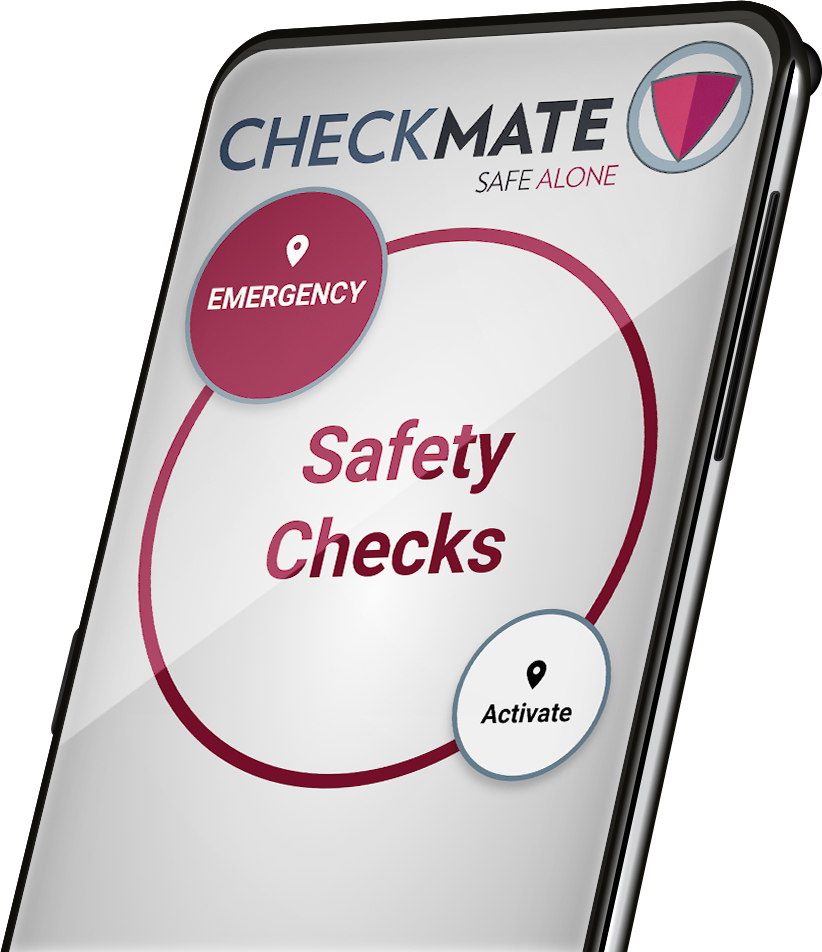
CheckMate Safe Alone is a lone worker monitoring app that offers the ultimate in safety and compliance for isolated workers. It’s easy to use, and operators are standing by 24/7/365 so you can ensure the safety of employees working alone.

Protection at your fingertips

  • Takes seconds to check-in with the tap of a button.
  • Lone workers can use the emergency panic button for workers built into the Safe Alone app to instantly notify our monitoring personnel in a crisis.
  • GPS coordinates are sent with the alarm and updated when the phone’s location changes.

Checking in while working alone

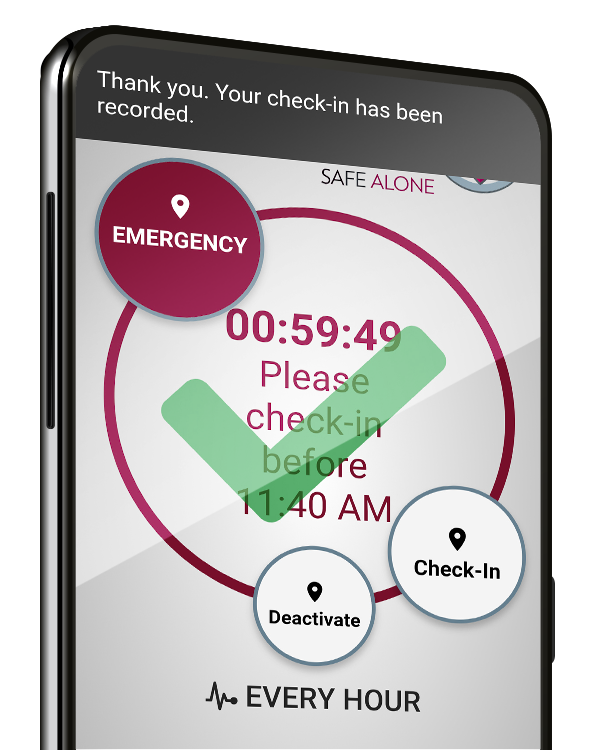
  • With each check-in to confirm your safety, the clock resets and the GPS location coordinates are collected.
  • The amount of time left until the next safety check is displayed on-screen and reminders occur via pop-up notifications.
  • If you miss a safety check, an automated phone call occurs 3 minutes later (selectable).
  • If you miss the automated call, a Missed Safety Check Alarm is generated and a live, trained operator responds.

CheckMate Safe Alone App

CheckMate Safe Alone is an app that that offers the ultimate in lone worker security. It’s easy to use, and operators are standing by 24/7/365 so you can ensure the safety of employees working alone.


Checking in while working alone

  • With each check-in to confirm your safety, the clock resets and the GPS location coordinates are collected.
  • The amount of time left until the next safety check is displayed on-screen and reminders occur via pop-up notifications.
  • Whether your team is in the field or working late in the office, CheckMate forms the backbone of an effective emergency response plan for lone workers.
Banner_Homepage_Phone

It’s your move.

Contact us for a free trial and see why CheckMate is one of the best lone worker apps in 2025 for real-time safety, compliance, and peace of mind.

Banner_Homepage_Phone

CheckMate Blog

The property management industry across Canada encompasses a wide range of roles, each with unique responsibilities and risks.
Read more
School campuses tend to be loud and busy places when classes are in session. However, after the students have gone home the administrative staff, custodial employees, and teachers can all find themselves working alone or in isolation. In fact, most school staff have tasks that frequently take them to empty
Read more
For most people, using a seatbelt is habitual and nearly automatic. We reach for it as soon as we get into a vehicle, and without thinking we ‘buckle-up’. With CheckMate, we understand that building new safety habits can be challenging for busy employees. Implementing just one of our scheduling, activation
Read more

Businesses who use CheckMate

From property managers to municipalities, organizations across Canada trust our lone worker protection system to keep their teams safe and compliant.

View our Suite of Safety Solutions

Learn more about how our working alone safety solutions can help keep your lone workers safe and secure.

Ensuring Lone Worker Safety in Canada’s Property Management Industry

The property management industry across Canada encompasses a wide range of roles, each with unique responsibilities and associated risks. From resident managers overseeing daily operations to maintenance personnel ensuring facility upkeep and leasing agents conducting property tours, these workers often operate alone in various settings. The nature of their work exposes them to several hazards, making lone worker safety and implementing effective work alone monitoring systems critical concerns for the industry nationwide.

Common Hazards for Lone Workers in Property Management

Understanding workplace safety risk assessment requirements helps property management companies identify specific dangers their employees face daily. Each role presents unique challenges that require tailored lone worker protection systems. As highlighted in our comprehensive guide on identifying lone workers, many employees may qualify as lone workers even when they don’t work in isolation full-time.

Resident managers often live on-site and handle responsibilities ranging from tenant relations to emergency response. Working alone, particularly during late hours, they face risks including verbal or physical confrontations, medical emergencies, and accidents in isolated building areas like basements or rooftops. These situations highlight the critical need for a reliable lone worker safety app to ensure immediate assistance.

Maintenance workers frequently operate in secluded or hazardous environments such as mechanical rooms, rooftops, or outdoor areas during adverse weather. Tasks involving electrical repairs, plumbing, or HVAC maintenance expose them to risks including falls, electrocution, and chemical exposure. The isolated nature of their work increases incident consequences, making remote worker safety solutions essential for their protection.

Learn more about the serious hazards of working alone and why immediate response is critical.

Leasing agents often conduct property showings alone, sometimes meeting unfamiliar individuals in vacant or isolated properties. This exposes them to potential safety threats including confrontations, harassment, or criminal activity. How to ensure safety of lone workers in these scenarios requires comprehensive protocols and technology solutions.

Janitorial and Cleaning Staff typically work after hours in empty buildings. Their responsibilities expose them to hazards such as slips, falls, exposure to hazardous cleaning chemicals, and the risk of encountering criminal activity in poorly secured environments.

For insights into managing these after-hours safety challenges, see our article on protecting high-risk retail workers, which covers similar isolated work scenarios.


Safety and Security Strategies

To mitigate these risks, implementing comprehensive safety strategies aligned with lone worker compliance law requirements is essential. Below are key approaches applicable across Canada:

Comprehensive Procedures and Training

Smart Environmental Design

  • Lighting and Visibility: Ensure that all areas—especially isolated ones such as parking garages, stairwells, and service areas—are well-lit to deter crime and reduce accidents.
  • Surveillance: Install security cameras in strategic locations to monitor vulnerable areas and provide workers with a greater sense of security.
  • Access Control: Implement controlled entry systems to restrict access to sensitive or secluded areas, ensuring only authorized personnel can enter.
  • Safe Zones: Designate safe zones equipped with communication tools and emergency supplies where workers can retreat if they feel threatened.

Practice Drills and Emergency Preparedness

Regular drills reinforce safety procedures and ensure workers understand emergency response protocols:

  • Fire Evacuations: Practice evacuation routes and designate meeting points.
  • Medical Emergencies: Simulate scenarios requiring first aid or emergency medical services.
  • Security Threats: Prepare workers for situations like intruder alerts or personal safety threats.

Essential Emergency Supplies

Providing essential emergency supplies can make a significant difference in critical situations. These include:

  • First Aid Kits: Stocked with necessary items like bandages, antiseptics, and gloves.
  • Emergency Communication Devices: Equip workers with panic buttons, two-way radios, or emergency panic buttons for workers.
  • Personal Protective Equipment (PPE): Depending on the job, ensure access to appropriate PPE such as gloves, helmets, or safety harnesses.

For organizations dealing with multiple facilities or staff working remotely, our working from home solutions ensure comprehensive coverage regardless of location.


ProTELEC’s CheckMate Working Alone: A Comprehensive Solution

ProTELEC’s CheckMate lone worker monitoring app offers a comprehensive solution addressing critical lone worker safety challenges in Canada’s property management industry. This advanced work alone monitoring system provides real-time tracking and emergency response while integrating effective communication strategies for complete lone worker protection system coverage.

Key Features of Our Lone Worker Safety Software

  • Automated Monitoring and Real-Time Alerts: Our lone worker GPS tracking app monitors worker locations and activity continuously. When no movement is detected or check-ins are missed, alerts trigger immediately to designated contacts.
  • 24/7 Emergency Response Coordination: ProTELEC’s ULC-certified, Canadian-based Emergency Monitoring Centre operates around the clock with trained professionals ready to respond to any emergency situation.
  • Regular Check-Ins and Automated Communication: The CheckMate system enables workers to check in at regular intervals, providing real-time status updates. If workers cannot check in or emergencies arise, the system automatically alerts supervisors or designated emergency contacts.
  • Customizable Settings for Tailored Protection: Companies can adjust the frequency of check-ins and alert protocols to fit specific roles and risk levels, ensuring flexibility and precision in safety management.
  • Reliable Communication Tools: Seamless integration with existing communication systems ensures that workers can connect with support teams efficiently. The system is designed to function even in remote areas with limited connectivity, offering dependable communication regardless of location.

By combining effective communication with real-time monitoring and emergency response, CheckMate Working Alone provides an unparalleled level of safety for lone workers in property management. This innovative solution ensures that help is always within reach, fostering a safer and more secure working environment for employees.

Compliance with Canadian Lone Worker Legislation

Our lone worker compliance software helps property management companies meet regulatory requirements across all Canadian provinces, including work alone policy Manitoba guidelines and lone worker safety regulations BCstandards. The system maintains detailed logs and documentation required for compliance audits.

How to Monitor Lone Workers Effectively

Implementing effective lone worker tracking solutions requires a multi-layered approach. Our detailed guide on managing lone worker safety checks provides specific tools and best practices for administrators:

  1. Technology Integration: Deploy comprehensive lone worker safety devices that combine GPS tracking, two-way communication, and emergency alerting
  2. Regular Training: Ensure all staff understand how to use safety systems and follow established protocols
  3. Continuous Monitoring: Maintain 24/7 oversight through professional monitoring services
  4. Documentation: Keep detailed records of incidents, training, and compliance activities

For property managers dealing with remote work arrangements, consider reviewing our analysis of whether working from home constitutes working alone, as this affects compliance requirements and safety protocols.

Conclusion

Lone workers in Canada’s property management industry face unique and significant risks requiring dedicated attention. Through implementing comprehensive safety strategies—including training, environmental design, emergency preparedness, and leveraging advanced technologies like ProTELEC’s CheckMate remote worker emergency alert system—companies can significantly enhance worker protection.

The best lone worker app solutions combine real-time monitoring, emergency response capabilities, and regulatory compliance features to create comprehensive protection systems. By prioritizing effective communication and innovative monitoring tools, property management companies ensure lone worker safety while contributing to operational success and fostering a culture of care and responsibility.

For property management companies seeking to enhance their lone worker safety programs, ProTELEC’s CheckMate offers the most comprehensive work alone monitoring solution available in Canada, ensuring compliance with provincial regulations while providing unmatched protection for employees working alone. Contact us today to learn how CheckMate can protect your property management team.

Government organizations can also explore our specialized government solutions designed for public sector compliance requirements and budget considerations.

Related Resources

For additional insights into lone worker safety across different industries, explore our comprehensive collection of lone worker safety resources including sector-specific guides and regulatory updates to help protect your workforce. Download our helpful user guides and tutorials to get started with implementation or try our CheckMate ROI calculator below!

CROWDED HALLWAYS MAY SEEM LIKE A STRANGE PLACE TO WORRY ABOUT LONE WORKER SAFETY MONITORING.

School campuses tend to be loud and busy places when classes are in session. However, after the students have gone home the administrative staff, custodial employees, and teachers can all find themselves working alone or in isolation.

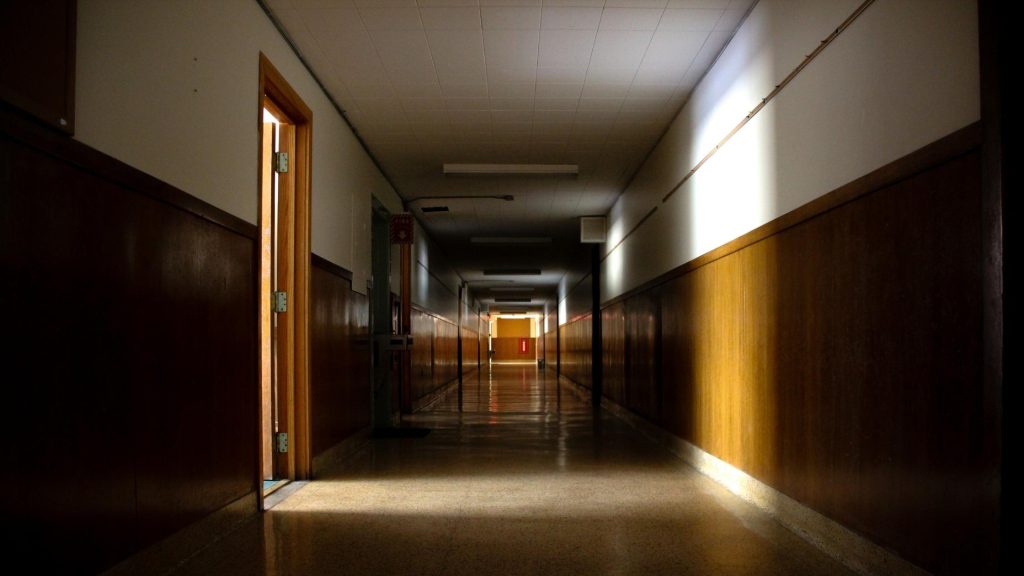
Empty school hallway after hours

The risk to each group of employees may vary, but an employer’s responsibility to protect them is the same. A lone worker safety app can help.

Across Canada employers are required to check on the safety of their lone working staff through a ‘system of regular contact’. Employers must also be able to produce a complete audit of all safety checks and their outcomes.

Custodial staff generally work at hours that are outside of classroom activity. Tradespeople like electricians and plumbers will often be onsite on weekends and in the evenings. These roles involve physical tasks that increase the risk of slips, falls or other injuries. When these risks are combined with the hazard of working alone, safety monitoring becomes even more important. Frequent safety checks can help identify an emergency situation and dispatch help as soon as possible.

Teachers and administrative staff routinely work outside of regular classroom hours. They also may suffer an unexpected injury, have a negative interaction with a member of the public, or even experience a medical emergency. Having reliable safety check options provides peace-of-mind and personal protection no matter where an employee’s tasks take them, whether on-campus or working remotely from home.

In many parts of the country schools serve multiple purposes within the community. Campuses are often open to host events, meetings and activities after regular classroom hours. These extra uses tend to need the presence of fewer employees, sometimes only needing one staff member onsite to lock-up afterwards.


The common theme of these lone worker scenarios is an increased level of risk when performing their work alone or in isolation.

In fact, most school staff have tasks that frequently take them to empty classrooms, quiet offices and remote areas of a campus. Because of the risks to isolated workers at schools, administrators have a legal responsibility to provide routine lone worker safety checks.

With so many varying schedules and levels of risk for people working after-hours on school campuses, how can an employer maintain a reliable and effective safety check system?

Lone worker safety app smartphone

There are three primary approaches to providing protection for employees working alone on-campus:

  • Use a lone worker safety app. Lone working apps provide an efficient and cost-effective way to meet the requirements of working alone laws. The CheckMate Safe Alone App monitors lone worker safety automatically. It is easy to install and offers flexible scheduling with powerful administrative tools. Our working alone app fits easily within an organization’s existing lone working policy and integrates seamlessly with our other lone worker monitoring services.
  • Use a dedicated emergency call-in service. Backed by our 24/7 Emergency Monitoring Centre located in Canada, our After Hours calling service is designed to efficiently handle the emergency needs of many kinds of organizations. Implementing a customized after-hours emergency call-in line can be an excellent fit for some school campuses, with no safety check schedules to manage and a guaranteed no-hold time response.
  • Use a property monitoring security service. Schools are often targeted by vandals and thieves after classes end. The cost of repairing or replacing damaged property is a big burden for limited school budgets. 24/7 monitoring of alarms and cameras by trained professionals can provide an extra layer of personnel and property security.


Each of these options has advantages for different scenarios and types of employees. Most importantly, they help ensure that an organization’s lone worker safety policies and working alone procedures meet the requirements of lone working regulations.

Contact our team of safety experts to learn more about the CheckMate lone worker monitoring app and our full range of personnel and property protection services.


A SEAT BELT CAN ONLY KEEP YOU SAFE IF YOU USE IT, AND THE SAME APPLIES TO A WORKING ALONE MONITORING SYSTEM.


Even the best working alone system can’t keep lone workers safe if they don’t use it. At ProTELEC, we are keenly aware of this limitation. That is why CheckMate has four different built-in features to help ensure usage:
 
1. Set Schedules: CheckMate will automatically activate and deactivate according to a preset schedule for an employee. The lone worker does not have to worry about turning CheckMate on and off each day, because it can be done for them.
 
2. Auto-Activation: Administrators can set a time for each day of the week for CheckMate to be activated. The lone worker will only have to remember to turn CheckMate off at the end of each day. Coming soon will be the ability to set up auto-activation schedules that can be customized to follow more varied shift schedules.
 
3. Text Message Reminder: A text message reminder can be sent to a lone worker after x number of days have passed without using CheckMate. This reminder will be repeated the same number of days later if inactivity continues.
 
4. Usage Summary Report: Automated weekly, monthly or quarterly reports can be emailed to key management so that they can track employee usage.
 

For most people, using a seatbelt is habitual and nearly automatic.

We reach for it as soon as we get into a vehicle, and without thinking we ‘buckle-up’. This kind of ingrained safety behavior is part of what has made seatbelts a successful protective feature. With CheckMate, we understand that building new safety habits can be challenging for busy employees. Implementing just one of our scheduling, activation or reminder features can substantially improve safety check usage.


Make sure you are getting the most out of your CheckMate Working Alone services. Contact us for help in setting-up schedules, auto-activation, reminders, or usage reports.